 Ayuda Trámites
Book your cita previa (appointment) for Extranjería online, on the official ICP portal: icp.administracionelectronica.gob.es/icpplus. Choose your province and procedure, identify yourself, pick a slot and confirm your contact details. Save the booking receipt. The appointment is free. If no slots appear, check other offices or see whether MERCURIO applies.
Book your appointment on the ICP portalBefore you book your appointment
Before you book your cita previa for Extranjería on ICP, have your passport or NIE ready, plus an email address and phone number you can access. Know which appointment you need: an NIE, TIE fingerprints or card collection, an EU registration certificate, or an authorisation. The EU certificate is paper, not a card.
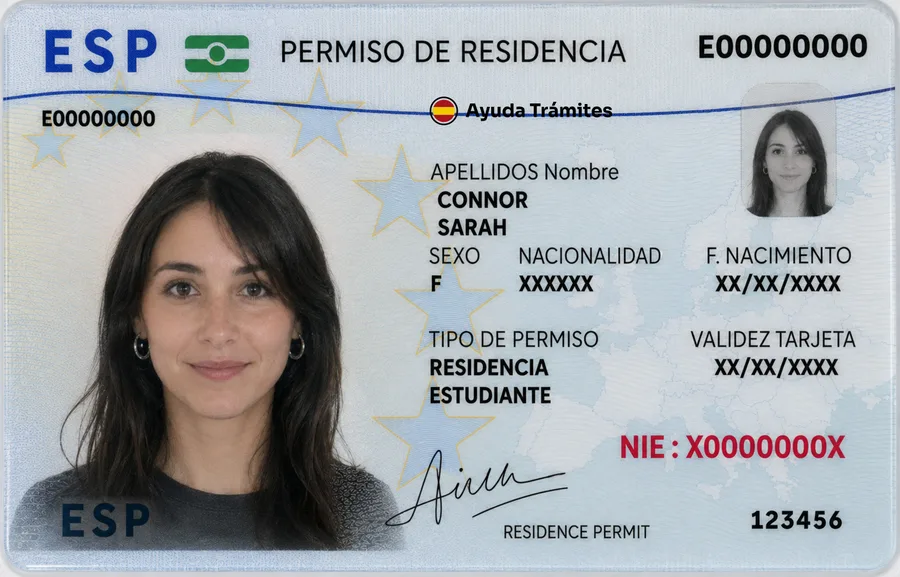
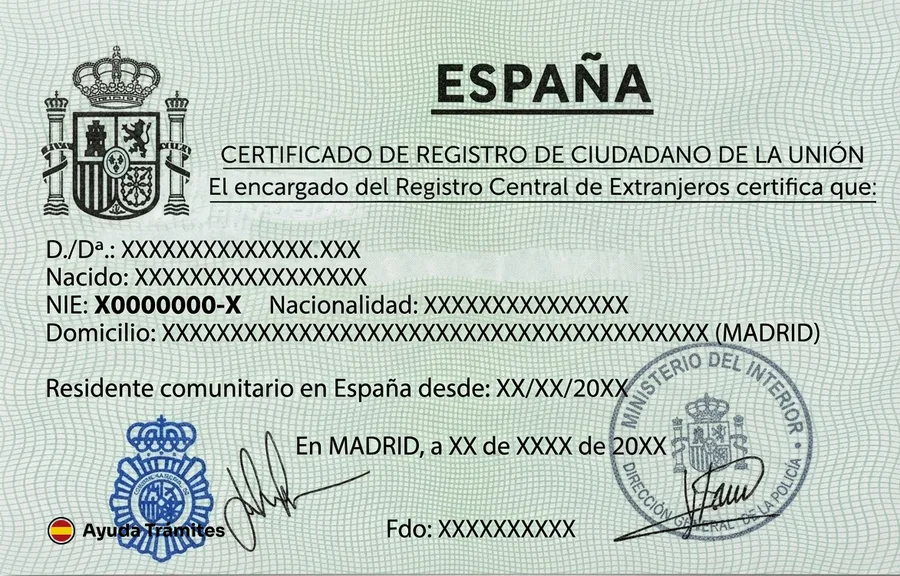
You or an authorised representative can book. For a first employee work authorisation, the employer or their authorised representative books. For family reunification, the sponsoring family member or their representative books. A parent or legal guardian books for a minor. For process details, see our guides to the NIE, the TIE and tasa 052. Address registration and a social security number are separate processes. See our guides to empadronamiento and getting a social security number.
How to book on the ICP portal step by step
- Open the ICP portal. This is the official online system for immigration appointments, at icp.administracionelectronica.gob.es/icpplus.
- Choose your province. Pick the province where you need to attend.
- Choose the procedure. For example, TIE fingerprints (toma de huellas) or NIE assignment. Choose the office too, if the portal asks. Names vary by province, and police procedures often start with POLICIA-.
- Identify yourself. Enter your NIE, DNI or passport number and the other details the portal asks for.
- Pick a slot. Choose from the available dates and times.
- Confirm your details. Check your phone number and email before confirming.
- Save the receipt. Download or print the justificante (booking receipt). Keep its number to check or cancel the appointment.

If there are no appointments available
Try again later. If your procedure allows it, check other offices in your province. Users report that slots can appear after cancellations, but there is no official release schedule.
Availability varies by office, and not every immigration office is listed in ICP. If yours isn't there, check its official instructions or contact the office. ICP may not be the route for that office.
Many immigration-office applications can be filed through MERCURIO without an appointment, using a digital certificate, Cl@ve or DNIe. Police procedures, including NIE, EU registration certificates, fingerprints and TIE collection, need an appointment.
The official appointment is free. Bots and resale networks can hold free slots. Some services offer paid help, but paying a third party for a slot is not an official service and guarantees nothing.
Check or cancel your appointment
Use the justificante number to check or cancel your booking on ICP. You can't move an appointment online. To change the phone number or email on a booked appointment, contact the office.

On the day of your appointment
Go to the office shown in your confirmation. Bring the documents for your procedure and keep your booking receipt to hand.
What to bring
Check your procedure instructions before you leave. Bring originals and copies if those instructions ask for them.
- Your passport or NIE, to confirm your identity.
- Your booking receipt, with the justificante number.
- The documents listed for your procedure, including any requested originals or copies.
Common ICP problems and how to fix them
No confirmation email arrives
Check your spam folder and the email address you entered. If it still doesn't arrive, call 060 or use the official technical help service.
Lost booking receipt
The ICP portal can resend the justificante to the email address you gave when booking. If you can't access that inbox, call 060.
The portal shows a technical error
Try again and check the portal's technical requirements. For a fault in the booking system, call 060 or use the official technical issue form.
Frequently asked questions
Is icp.administracionelectronica.gob.es the official site for Extranjería appointments?
Yes. It is the ICP portal (Internet Cita Previa) run by the Spanish central administration, and sede.administracionespublicas.gob.es links to the same system. You never need a third-party website to book.
Does it cost anything to book an Extranjería appointment?
No. Booking the appointment is free. Any fee for the procedure itself is separate.
When are new appointment slots released?
There is no official schedule. Availability changes, so check again later or look at other offices in your province.
Can I submit my immigration application without an appointment?
Many immigration-office applications can be filed through MERCURIO with a digital certificate, Cl@ve or DNIe. Police procedures, such as fingerprints or TIE collection, need an appointment.
How do I cancel my appointment?
Use the justificante number to cancel it on ICP. You can't move an appointment online, so book a new one if you still need to attend.
Official procedure
Official sources
These are the official sources for this guide:
- Cita previa de extranjería, portal ICP (administracionelectronica.gob.es) icp.administracionelectronica.gob.es
- Cita previa de extranjería (sede de las Administraciones Públicas) sede.administracionespublicas.gob.es
- Ayuda con la cita previa de extranjería (sede de las Administraciones Públicas) sede.administracionespublicas.gob.es
- Asignación de NIE a instancia del interesado (Sede de la Policía Nacional) sede.policia.gob.es
These links go to official websites. The procedure is free of charge.
Spotted something incorrect? Email us at info@ayudatramites.es.