 Ayuda Trámites
You can change an existing SEPE appointment online. In the official booking service, enter your ID details and locator code, then choose a new date and time. The change keeps the same office. A later date may affect your benefit if your application then falls outside its deadline.
How to change your SEPE appointment
- Open the booking service. Go to the SEPE cita previa (appointment booking) service and click “Iniciar Solicitud / Anular Cita”. At the top of the next page, choose “Comprobar, modificar o cancelar la reserva” (check, change or cancel the booking).
- Enter your details. Type your DNI, NIF or NIE, locator code, postal code, office and the text in the image.
- Choose a new date and time. Click “Ver/Modificar”, then “Modificar fecha y hora de cita” (change date and time). The system offers the first free date. Click “Aceptar” to accept it, or “Otras citas” to see other dates. Click “Continuar” to save. You can only change the date and time, not the office. The screen then shows “La cita se ha actualizado correctamente” (appointment updated). The change is confirmed on screen.
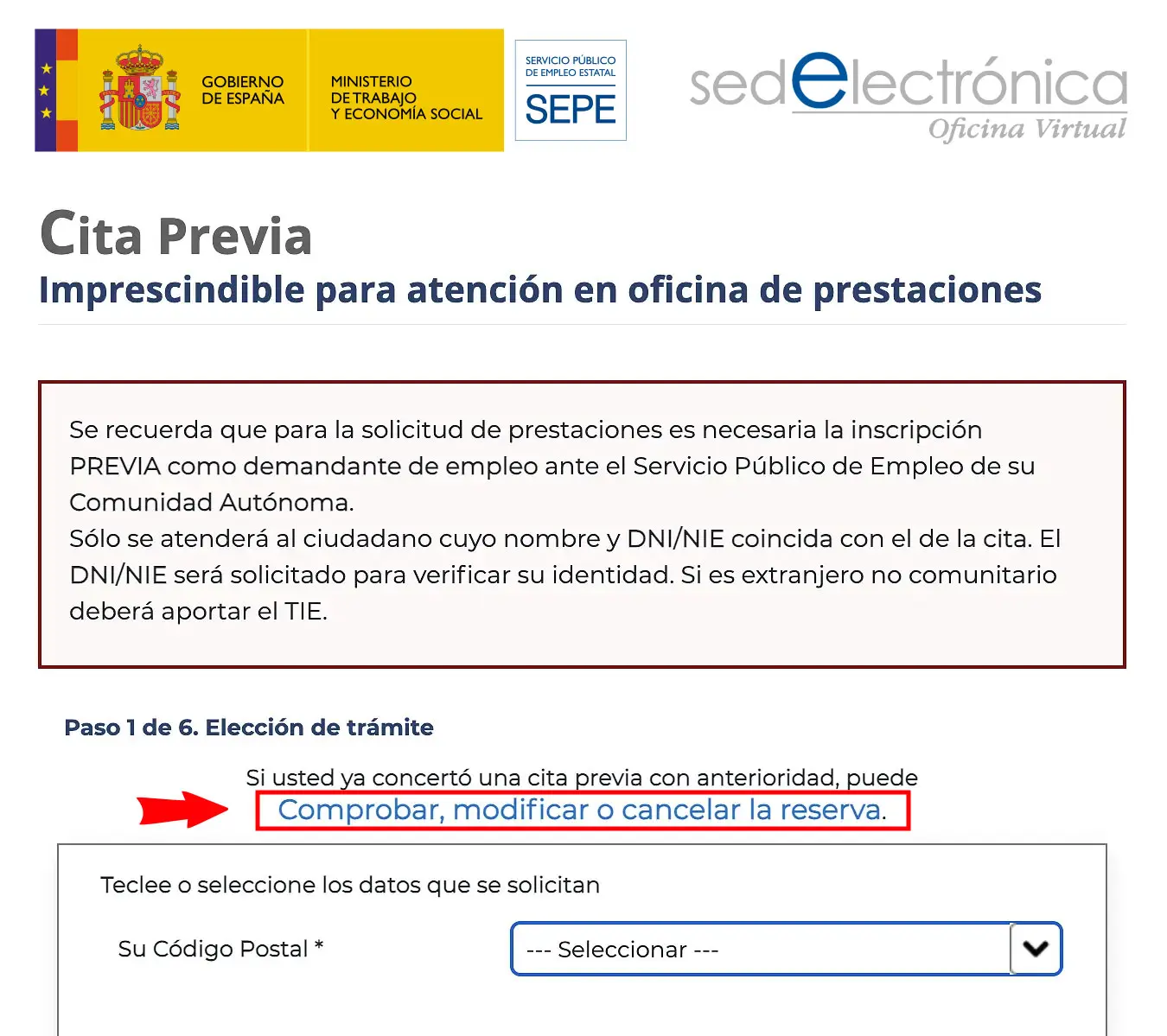
The SEPE appointment page: the link "Comprobar, modificar o cancelar la reserva" opens the form to check, change or cancel an existing appointment.
The date you choose becomes the date of your appointment. If a later date makes your application miss its deadline, you could lose benefit days.
What you’ll need
Have these details ready before you start.
- Your DNI, NIF or NIE, to identify yourself.
- Your locator code (localizador), to find the booking.
- The postal code and office of your appointment.
- The text in the security image.
Common problems and how to fix them
No option to change
Not every appointment can be changed. If you see “Esta cita ya no puede ser editada/eliminada” (this appointment can no longer be edited or deleted), the booking is locked. If “Cancelar” is still available, cancel the appointment and book a new one.
You’ve lost the locator
Check your booking receipt, where it appears as “Código cita (localizador)”. It is also in the confirmation email sent to the address you gave when booking.
No dates suit you
Click “Otras citas” to check other dates. If none work, see what to do when no SEPE appointments are available.
The website isn’t working
Try again later. For general questions, call 060. The number 91 926 79 70 is a 24-hour automated booking line, not a helpdesk.
Ayuda Trámites guides
Need something else with your appointment?
Frequently asked questions
Can I change my appointment to another SEPE office?
No. A change only moves the date and time at the same office. To use another office, cancel the booking if possible and book a new appointment.
Does it cost anything to change a SEPE appointment?
No. Booking or changing a SEPE appointment has no administrative fee.
Could changing the date affect my unemployment benefit?
Yes. If you choose a later date than the first one offered, your application may miss its deadline and you could lose benefit days.
What if none of the available dates work for me?
Check again later for other dates. Remember that a later date could affect your benefit if your application misses its deadline.
Official procedure
Official sources
These are the official sources for this guide:
- Cita previa del SEPE (sede electrónica) sede.sepe.gob.es
These links go to official websites. The procedure is free of charge.
Spotted something incorrect? Email us at info@ayudatramites.es.